10 Free AI Tools Every Content Creator Needs in 2026 (No Signup Required)
Discover 10 free AI tools every content creator needs in 2026. Generate viral YouTube titles, TikTok hooks, captions, hashtags, and more — no signup, no credit card, instant results.
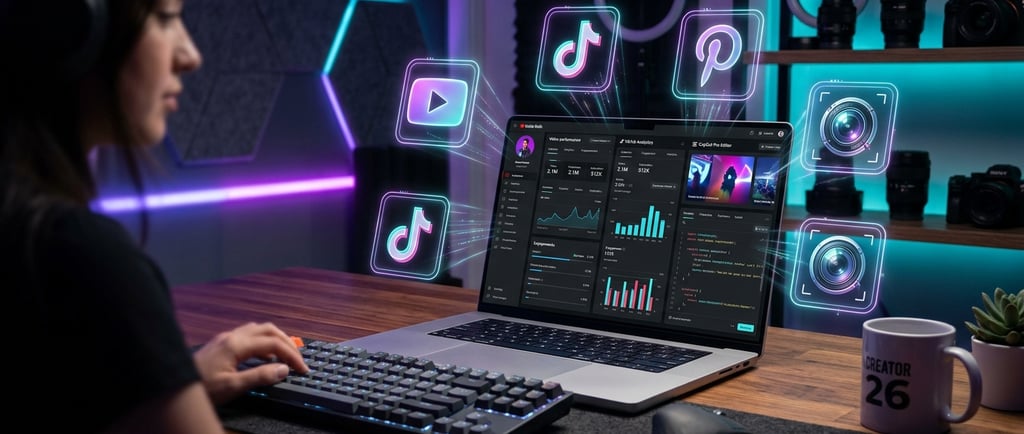
If you're a content creator in 2026, you already know the grind: coming up with video titles, writing captions, finding the right hashtags, building a brand name — and doing it all again tomorrow. The good news? AI has made every single one of those tasks faster, cheaper, and easier than ever.
The bad news? Most AI tools want your email address, your credit card, or both before they let you do anything useful.
That's exactly why we built Free Creator AI Tools — a collection of single-purpose AI generators that require zero signup, zero credits, and zero friction. Open the tool, type your topic, get your result, and get back to creating.
In this post, we're covering the 10 best free AI tools every content creator should be using in 2026 — including six you can use right now without creating an account.
Why Free AI Tools Are a Game-Changer for Creators in 2026
The creator economy has never been more competitive. YouTube has over 800 hours of video uploaded every minute. TikTok's algorithm rewards consistency above almost everything else. If you're a solo creator or small team, you simply cannot afford to waste time on repetitive tasks that AI can handle in seconds.
The smartest creators in 2026 aren't working harder — they're using AI to multiply their output without multiplying their workload. And the best part? You don't need an expensive subscription to do it. The tools below are completely free to use, no strings attached.
1. Free YouTube Title Generator — Write Click-Worthy Titles Instantly
Your YouTube title is the single most important piece of text you'll write for any video. It determines whether someone clicks — or scrolls past. A weak title kills even great content.
Our Free YouTube Title Generator uses AI to generate multiple high-CTR, search-optimized title options based on your video topic in seconds. No more staring at a blank screen wondering whether to lead with a number, a question, or a curiosity gap.
Best for: YouTubers, faceless channel owners, video marketers Why it's better than paid alternatives: No account needed, no daily limits, instant results
How to use it: Type in your video topic (e.g. "beginner guitar lesson" or "budget meal prep"), hit generate, and pick the title that fits your style. Copy it straight to your clipboard.
2. TikTok Viral Hook Generator — Stop the Scroll From the First Second
On TikTok and Instagram Reels, you have roughly 1.5 seconds to convince someone not to swipe. That opening line — your "hook" — is what makes or breaks your watch time. And watch time is what drives the algorithm.
The TikTok Viral Hook Generator generates psychologically engineered opening lines tailored to your niche. It draws on hook frameworks that have driven millions of views — curiosity gaps, bold statements, relatable pain points, and pattern interrupts.
Best for: TikTok creators, Reels creators, short-form video producers Pro tip: Generate 5–10 hooks, then A/B test them across your next few videos to see which style resonates with your audience.
3. Free AI Caption Generator — Captions That Actually Drive Engagement
Writing captions is one of those tasks that feels simple but eats up enormous amounts of time. You need a hook, some value, a call to action, maybe some emojis — and it all needs to feel natural.
The Free Caption Generator creates ready-to-post captions for Instagram Reels, TikTok, and other platforms, complete with engaging hooks and emoji placement optimized for watch time and saves.
Best for: Instagram creators, lifestyle bloggers, product sellers What makes it different: Captions are structured to drive saves and shares, not just likes — which signals the algorithm to push your content further.
4. Free Hashtag Generator — Find the Right Tags for Maximum Reach
Using the wrong hashtags is almost worse than using none at all. Flooding your post with massive hashtags (like #love with 2 billion posts) means your content disappears instantly. The right strategy is a mix of large, medium, and niche hashtags — and figuring that out manually takes forever.
The Free Hashtag Generator extracts trending, relevant hashtags for Instagram, TikTok, and YouTube Shorts based on your content topic. It balances reach and discoverability so your posts land in front of the right audience.
Best for: Instagram, TikTok, and YouTube Shorts creators Pro tip: Generate a fresh set of hashtags for every post rather than reusing the same ones — the algorithm flags repetitive hashtag sets as spam.
5. Pinterest SEO Generator — Get Found on the World's Biggest Search Engine for Creators
Most creators treat Pinterest like a social media platform. The ones getting real traffic know it's actually a visual search engine — and like any search engine, it rewards content that's properly optimized.
The Pinterest SEO Generator creates high-ranking Pinterest titles and descriptions loaded with the keywords your audience is actually searching for. If you're driving traffic from Pinterest to a blog, Etsy shop, or YouTube channel, this tool is essential.
Best for: Bloggers, Etsy sellers, recipe creators, travel creators, DIY channels Why Pinterest SEO matters in 2026: A single well-optimized pin can drive traffic for months or even years after posting — unlike any other platform.
6. Free Business Name Generator — Build a Brand That Sticks
Whether you're launching an Etsy shop, starting a YouTube channel, naming a newsletter, or building a side hustle, your name is the foundation of your entire brand. It needs to be memorable, available, and reflective of what you do.
The Business Name Generator uses AI to generate creative, brandable names based on your niche, vibe, and audience. It's built specifically for creators — not corporate brands — so the names it generates actually sound human.
Best for: New creators, Etsy sellers, bloggers, digital product creators Pro tip: Generate several batches with slightly different prompts (e.g. "cozy lifestyle brand" vs "bold fitness brand") and compare. The best names often come from unexpected combinations.
7. Canva Magic Studio — Free Visual Design for Non-Designers
No list of creator tools is complete without Canva. The free tier of Canva's Magic Studio gives you access to AI-powered design tools including text-to-image generation, background removal, and one-click social media templates.
For thumbnails, Pinterest graphics, Instagram carousels, and brand assets — Canva is the free standard.
Best for: All creators who need visual content Free tier: Generous, with limitations on some AI features
8. CapCut — Free AI Video Editing for Short-Form Content
CapCut has become the go-to free video editor for TikTok and Reels creators, and its AI features have made it significantly more powerful in 2026. Auto-captions, background removal, AI voice enhancements, and template-based editing let you produce polished short-form videos in a fraction of the time.
Best for: TikTok, Reels, and YouTube Shorts creators Standout feature: Auto-caption generation is now fast and accurate enough to replace manual subtitling entirely
9. ChatGPT (Free Tier) — Your All-Purpose Content Brainstorming Partner
ChatGPT's free tier remains one of the most powerful content brainstorming tools available to creators. Use it for scripting YouTube videos, drafting email newsletters, generating content calendars, repurposing long-form content into tweets, or coming up with your next 30 video ideas in 60 seconds.
Best for: All creators, especially those producing high volumes of written content Honest caveat: It's general-purpose, which means for specific tasks like YouTube titles or TikTok hooks, a specialized tool (like ours) will consistently outperform it.
10. Google Trends — Free Real-Time Trend Research
Before you create any piece of content, you should know whether your topic is rising or falling in search interest. Google Trends is completely free and shows you exactly what people are searching for right now, how interest has changed over time, and what related topics are trending.
Best for: YouTubers, bloggers, and anyone creating search-driven content Pro tip: Filter by your country and time range, then cross-reference trending topics with your niche to find content ideas with built-in demand.
How to Build Your Full Creator Workflow With These Tools
Here's a realistic daily workflow using only free tools:
Find your topic — Google Trends or ChatGPT for ideation
Generate your hook — TikTok Viral Hook Generator for short-form, or research your angle in ChatGPT
Write your title — YouTube Title Generator for video titles
Create your visuals — Canva Magic Studio for graphics and thumbnails
Edit your video — CapCut for short-form content
Write your caption — Caption Generator for Instagram/TikTok
Add your hashtags — Hashtag Generator for discoverability
Optimize for Pinterest — Pinterest SEO Generator if repurposing content
The entire workflow above costs $0 and can be completed in under 30 minutes per piece of content. That's the power of free AI tools in 2026.
Final Thoughts
The gap between creators who use AI tools and those who don't is only getting wider. In 2026, the question isn't whether you should use AI in your content workflow — it's which tools are worth your time.
The tools on this list are all free, battle-tested by real creators, and designed to remove the most time-consuming parts of content creation. Start with the ones that solve your biggest bottleneck today.
Ready to start? Browse all of our free AI creator tools at FreeCreatorAiTools.com — no signup, no credits, no catch.
Frequently Asked Questions
Are all these tools actually free? Yes. Every tool on FreeCreatorAiTools.com is completely free with no signup required, no credit card, and no usage limits. You open the tool, type your input, and get your result.
Do I need to create an account to use these tools? No. All six tools on our platform work instantly without any registration. We built the site specifically to remove that friction.
Which tool should I start with? Start with whatever bottleneck is slowing you down most. If you spend the most time on titles, start with the YouTube Title Generator. If captions take forever, try the Caption Generator first.
Are these tools good for beginners? Absolutely. All tools have single-input interfaces — you type your topic, hit generate, and copy your result. No learning curve required.
How often are new tools added? New tools are added regularly. Subscribe to the newsletter on the homepage to get notified when new generators launch.
Published by FreeCreatorAiTools.com — Free, no-signup AI generators built for content creators.