Ultimate Guide to Instagram Grid Splitter: Boost Your Feed Aesthetic
Learn how to use an Instagram grid splitter to create stunning 3x3 puzzle layouts and giant squares. Discover top tips to optimize your grid and boost engagement.
Ultimate Guide to Instagram Grid Splitter: How to Create a Stunning Visual Feed
In the highly competitive world of social media, having a captivating visual identity is the key to standing out. Instagram is no longer just a platform for sharing random photos; it has evolved into a curated digital portfolio for creators, brands, and entrepreneurs. One of the most effective ways to instantly grab a visitor's attention and increase your follower conversion rate is by designing a cohesive grid layout. Using a premium Instagram grid splitter allows you to transform standard photos into magnificent, large-scale puzzle feeds that demand attention.
What is an Instagram Grid Splitter?
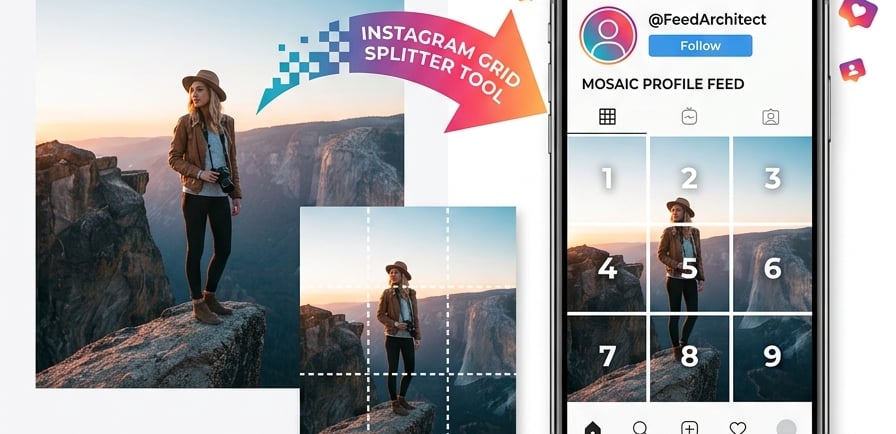
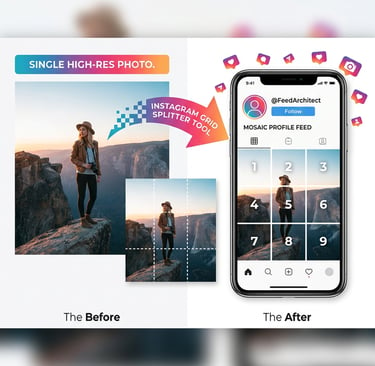
An Instagram grid splitter (also known as a grid maker or image cutter) is a specialized digital tool that divides a single high-resolution image into multiple equal sections, typically in formats like 3x1, 3x2, 3x3, or 3x4. Once these individual slices are uploaded consecutively to your Instagram profile, they seamlessly combine to form a giant square or a continuous puzzle layout. This technique creates a dramatic, cinematic effect that makes your overall profile look highly professional and deeply engaging.
Why You Should Split Images for Instagram
Massive First Impression: When users land on your profile, you only have a few seconds to convince them to hit "Follow." A giant 3x3 grid puzzle immediately showcases creativity and premium branding.
Higher Engagement Rates: When you split image for Instagram feed, each individual post acts as a teaser. Curious followers will click through to your main profile to see the complete, larger picture, boosting your overall profile views.
Perfect for Major Announcements: Brands frequently use grid splitters to launch new digital products, reveal eBooks, celebrate milestones, or showcase high-quality artistic photography.
How to Use Our Free Online Grid Maker
Our online tool is engineered to give you flawless results without the need for complex design software like Photoshop. First, simply select a high-quality picture and drop it into our secure dashboard. Next, choose your preferred layout—whether you want a sleek 3x1 banner or a complete 3x3 grid maker online layout. The live preview window will instantly show you exactly how your lines intersect. Finally, click the action button to automatically download all high-resolution slices instantly to your device, perfectly formatted and ready for step-by-step publishing.
Best Practices for Executing a Flawless Grid Aesthetic
To get the most out of your split layouts, always start with an incredibly sharp, high-resolution source image so the individual pieces do not look blurry when cropped. Additionally, consider the value of each single slice; ensure that individual images still look somewhat interesting or intriguing on their own when they pop up in your followers' main feeds. Use our built-in language toggle to switch between Arabic and English effortlessly, and start planning your next viral layout today!